Product team
activeAccounts
- Account A64% left
- Account B41% left
- Account C78% left
Keys 12
Codex CLICursorOpenCode+9 more
Bridge ring routingSticky sessions
Codex Pooler is a gateway you run yourself. Group your Codex accounts into Pools for your teams, agents and projects, give every tool its own key, and each request goes to an account with room to spare. Even tools without Codex support can run on your subscriptions, through the OpenAI-compatible API.
Works with the tools you already use
How it works
Without Pooler, each tool is tied to one account: when it runs out the tool stalls, other accounts sit idle, and saved resets expire before anyone uses them. With Pooler, each Pool shares its accounts among its tools, and saved resets get used when a Pool runs dry or just before they expire.
2 tools stuck · a saved reset sits unused
Your tools
 Codex Pooler
Your Codex accounts
Illustrative simulation with hours compressed into seconds. Auto redeem is opt-in per account, and real routing also weighs model support, account health and ongoing sessions.
Pools
Split your accounts and traffic into as many Pools as you need. The team, the agents and each project get their own accounts, keys and rules, so background jobs stop competing with the people at their keyboards.
Accounts
Keys 12
Codex CLICursorOpenCode+9 more
Accounts
Keys 3
Nightly agentReview bot+1 more
Accounts
Keys 2
Notebook SDK+1 more
OpenAI-compatible
Plenty of coding tools and agents can't talk to Codex, but they can talk to the OpenAI API. So can Pooler. Paste a Pool key and Pooler's address, and those tools run on your Codex subscriptions instead of pay-per-token API credits.
What the OpenAI-compatible endpoint covers
It covers the requests coding tools and SDK apps actually send, not the entire OpenAI API. Some tools call the endpoint from their own servers, so Pooler has to be reachable over the internet for them. Each guide says what its tool needs.
What you get
Pooler takes care of the parts that get messy when several people, tools and agents run on a handful of Codex accounts.
Every tool, teammate or bot gets its own key. Give it an expiry, choose which models it may use, cap requests per minute or tokens per day, and pause or revoke it in one click. Account tokens never leave Pooler.
Turn it on for a key and whoever holds it gets a read-only dashboard of their own usage: success rate, cache hits, speed and cost. No admin access needed.
Connect any MCP client to Pooler's read-only MCP endpoint and ask about accounts, quota, Pools, keys and requests in plain words.
Codex sometimes banks a limit reset for an account. Turn on auto-redeem and Pooler spends it when that account runs dry, or before it would expire unused. Keep a few in reserve if you like, and export the upcoming expirations to your calendar.
The Stats page adds up requests, tokens and estimated cost for each Pool. The request log shows every single one: which tool sent it, which account and model served it, cache hits, timing and cost.
Get an email or a webhook when an account runs low, needs to sign in again, or a Pool is running out of usable accounts.
Everything else
The details that matter once real teams and agents run on Pooler every day.
The dashboard
Every account, Pool, key and request in one place, updated as traffic flows.
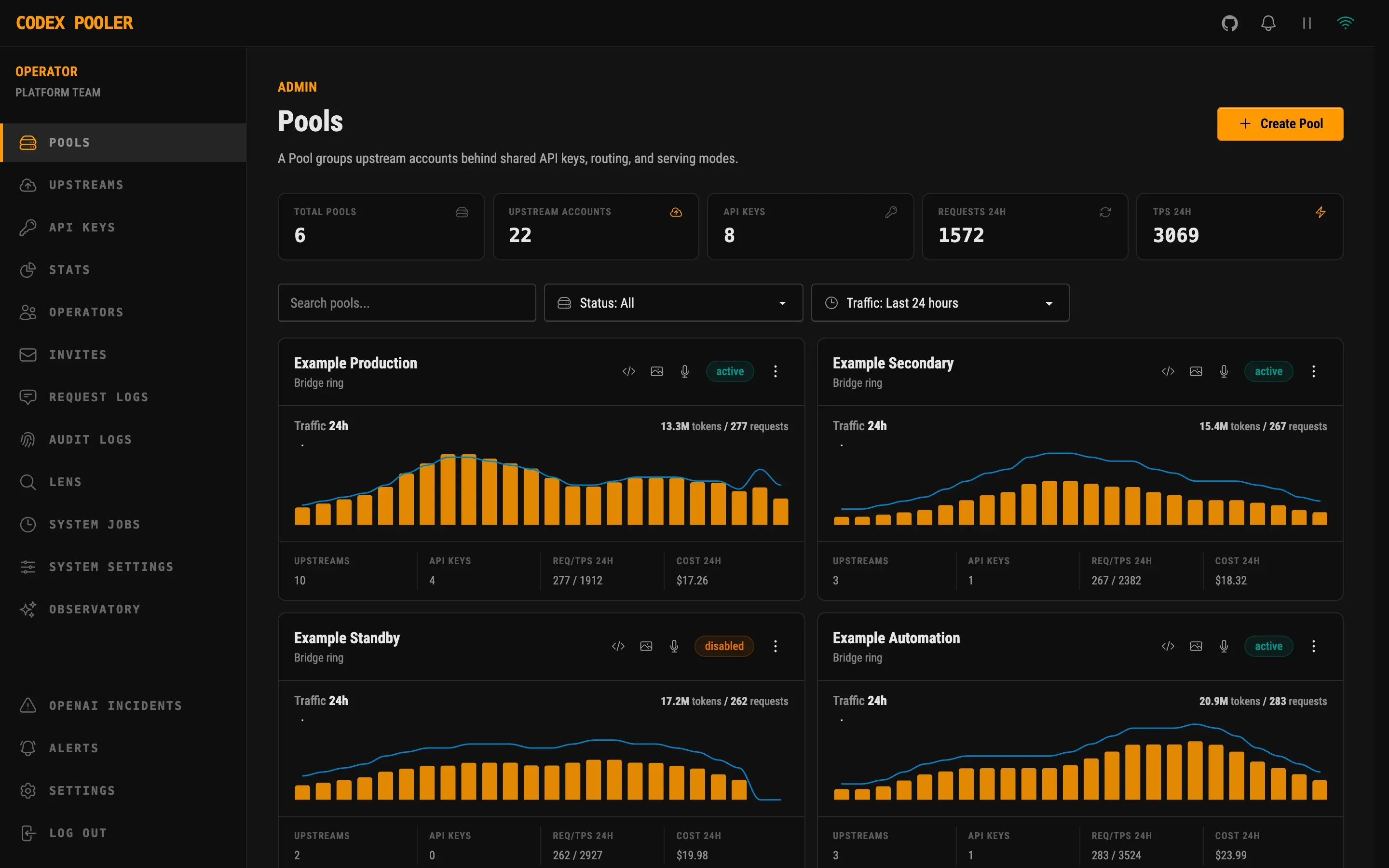
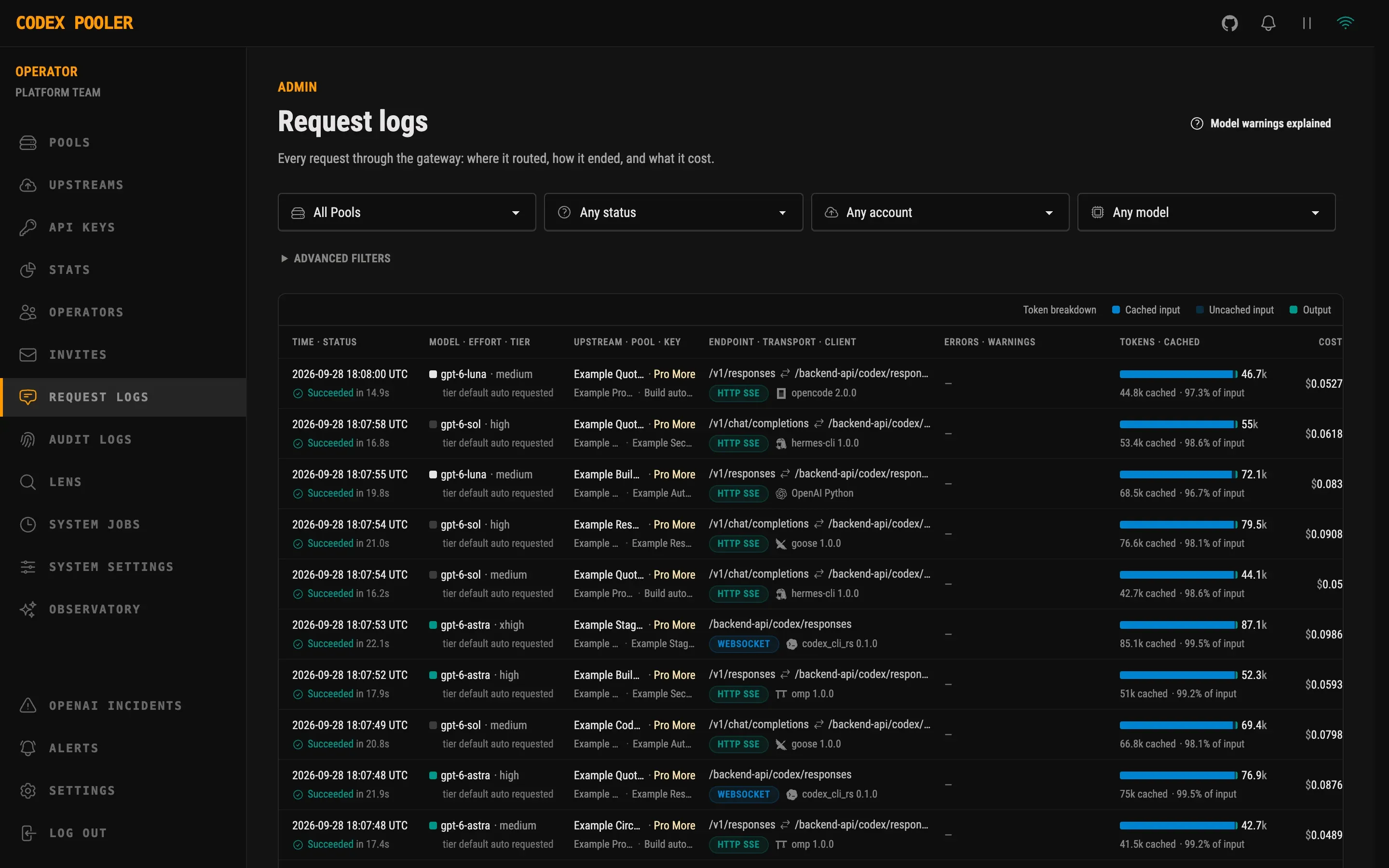
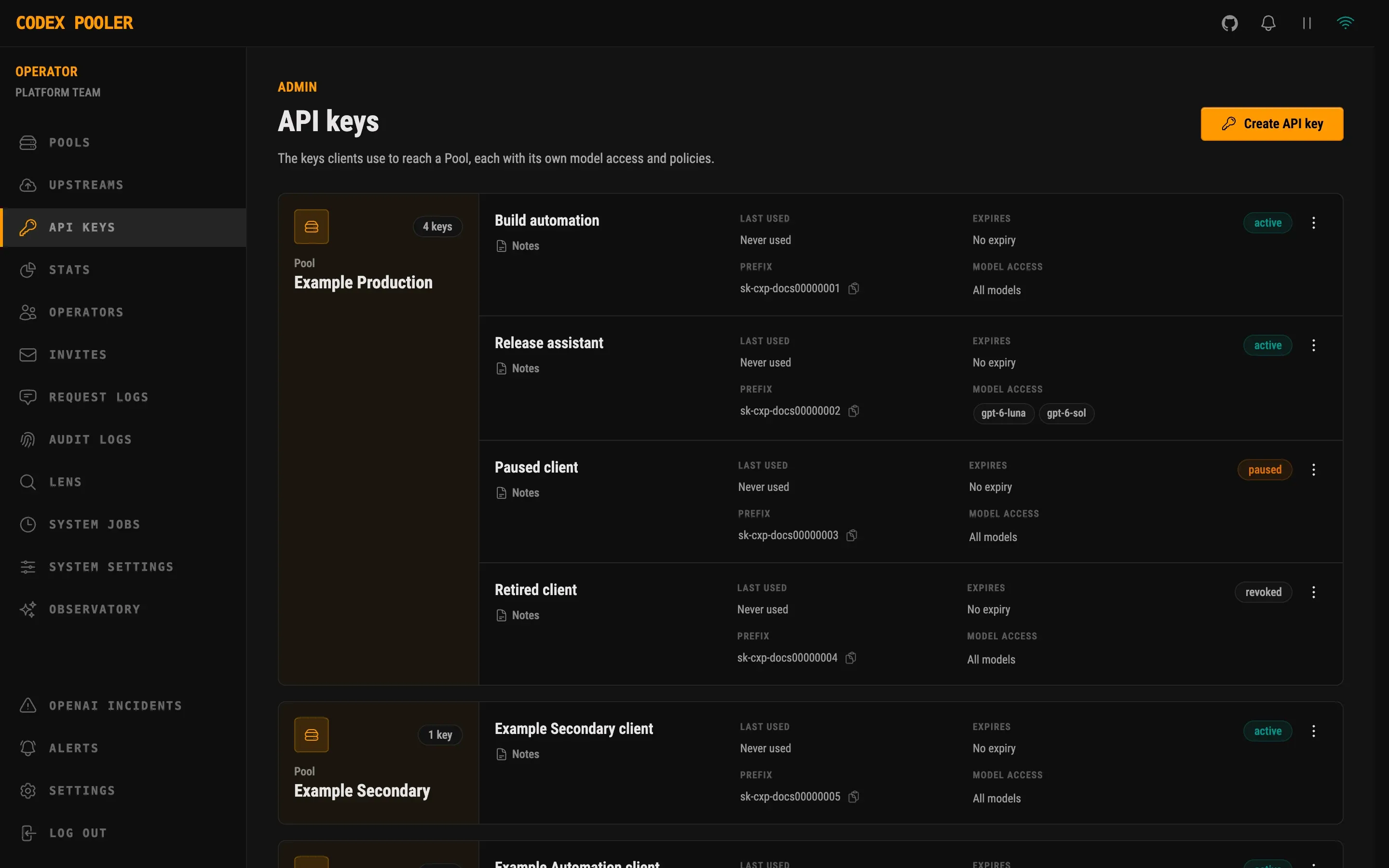
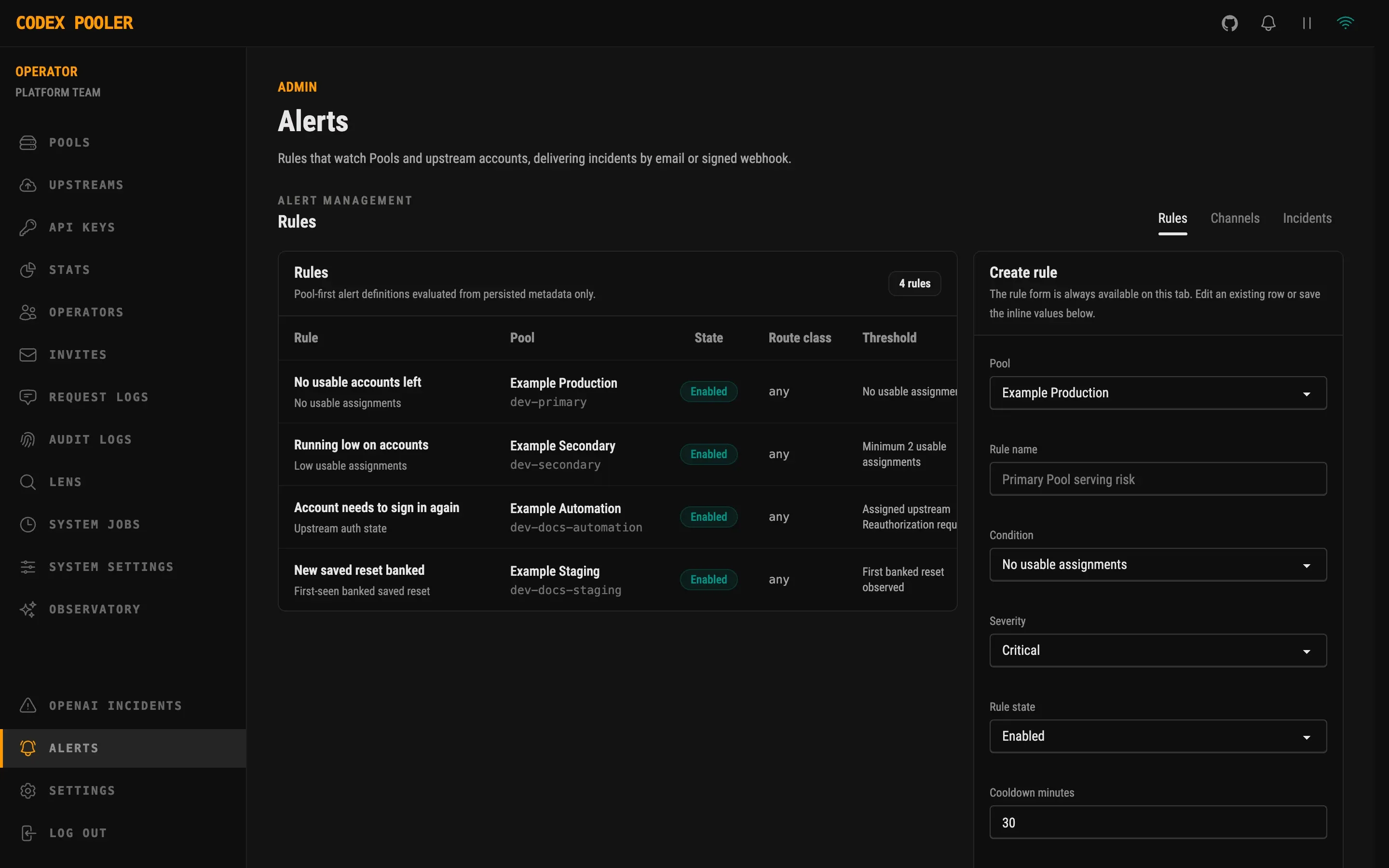
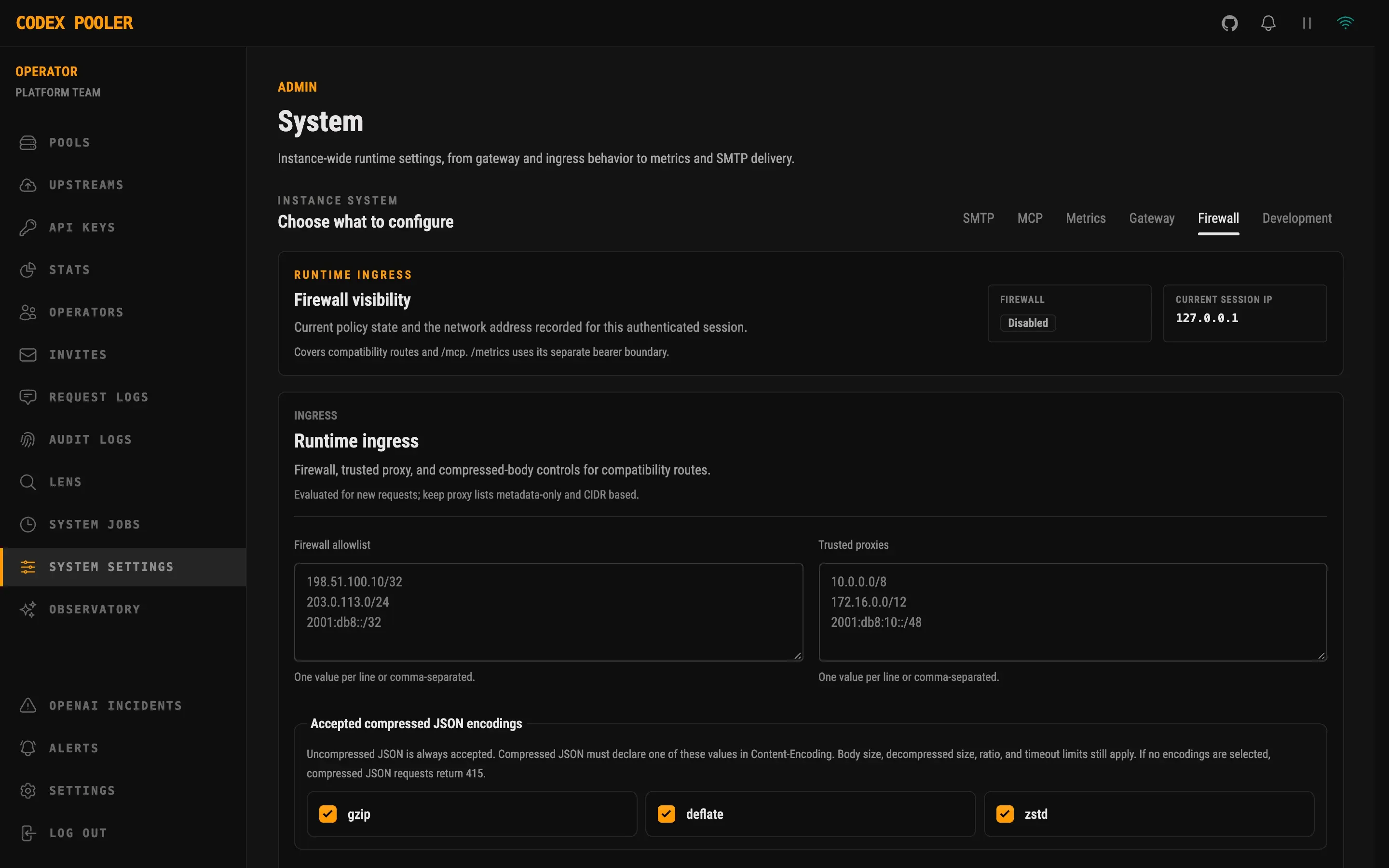
Every Pool at a glanceTraffic, keys, requests and cost for each Pool over the last 24 hours.
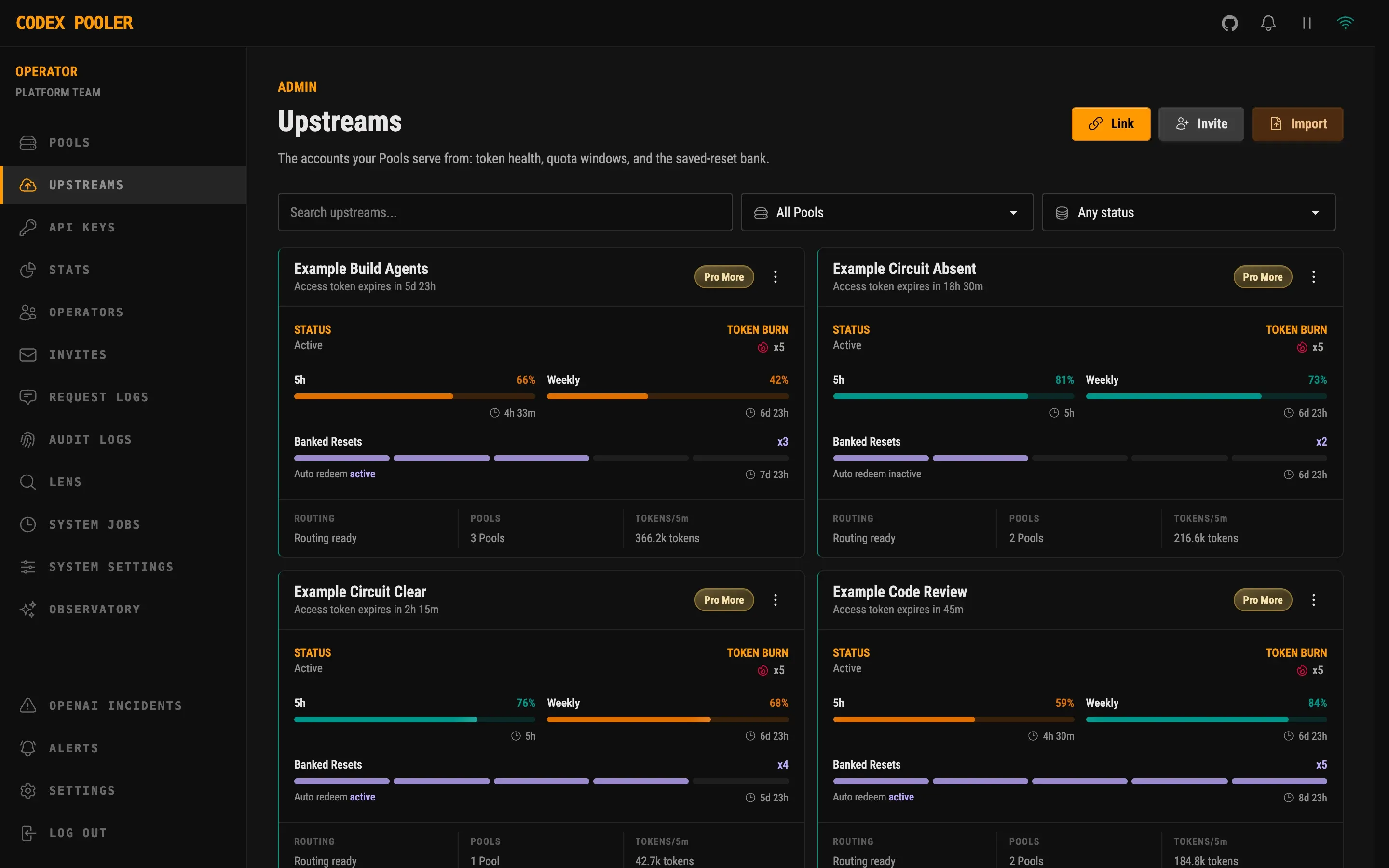
Quota for every account5-hour and weekly quota left, saved resets, token health and routing state.
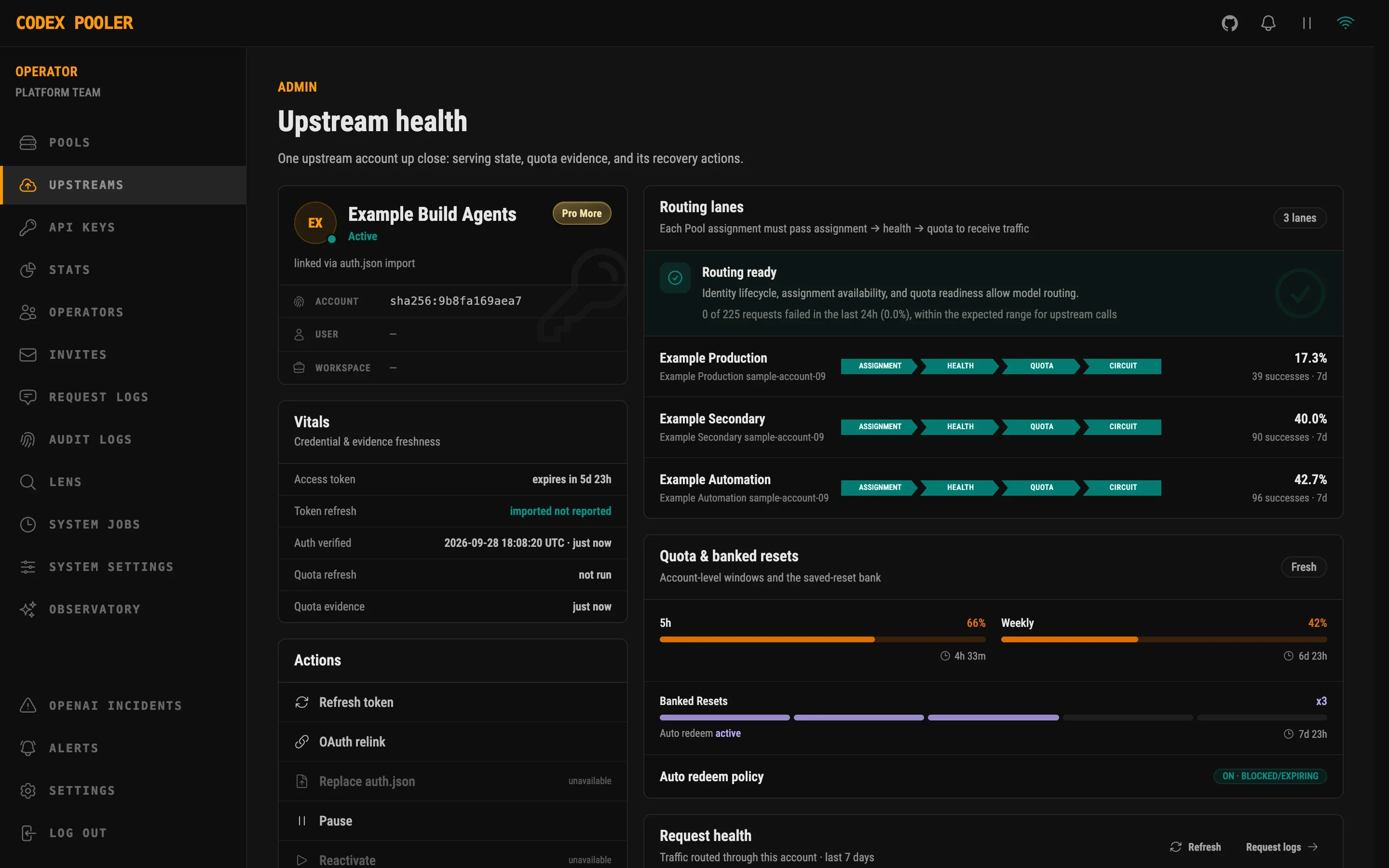
One account, up closeRouting readiness per Pool, credential freshness, quota windows and the auto-redeem policy.
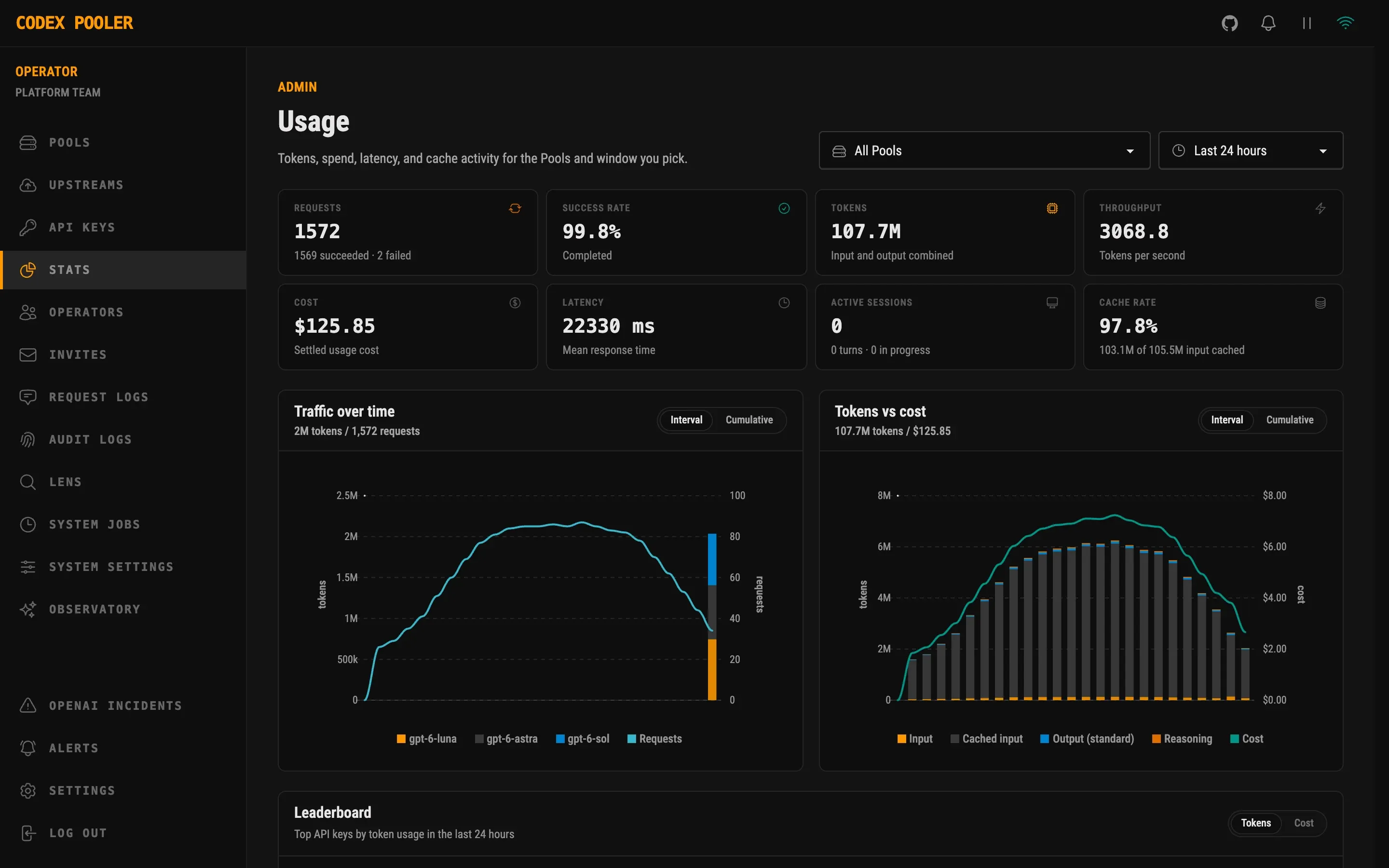
Usage and spendRequests, tokens, latency, cache rate and cost, for any Pool and time window.
Every request, accounted forClient, account, model, transport, cache hits, timing and cost for each request.
Keys under controlStatus, expiry, prefix and model access for every key, grouped by Pool.
Alerts that fit your PoolsRules on usable accounts, quota, sign-in state and saved resets, sent by email or webhook.
Ingress under your rulesClient IP allowlists, trusted proxies and accepted request compression, changed live.
Get started
A machine with Docker, or a Kubernetes cluster. No sign-up with us, and nothing is ever sent to us.
Docker Compose runs the app and its database on one machine. On Kubernetes, the Helm chart runs separate web, worker and scheduler roles. Both pin a stable release.
Sign in with OpenAI, import an existing Codex login, or send a teammate an invite link.
Adding accounts →Create a key for each tool or person and point the tool at Pooler. That's the whole setup.
Creating keys →git clone https://github.com/icoretech/codex-pooler.gitcd codex-pooler# pin the latest stable releaseexport CODEX_POOLER_IMAGE_TAG=0.10.3scripts/self-host/generate-env.shdocker compose pulldocker compose up -d# then open http://localhost:4000helm repo add icoretech https://icoretech.github.io/helmhelm repo updatehelm upgrade --install codex-pooler icoretech/codex-pooler \--namespace codex-pooler --create-namespace \--version 0.9.4 \--values ./values.production.yaml# values: host, ingress, secrets and databaseYours, end to end
Pooler is software you run, not a service you sign up for. Requests travel from your server to OpenAI, directly or through your own proxy, and never through us.
What Pooler is not: a way around OpenAI's limits or terms. Every account keeps its own limits. Pooler helps you make full use of the accounts you're allowed to use, together.
A laptop, one server with Docker Compose, or Kubernetes with the Helm chart. Nothing is hosted by us.
Account tokens are encrypted at rest. Pool keys are shown once, then only as a short prefix.
Allow only the IP ranges you choose, trust your own reverse proxies, and send outbound traffic through an HTTP proxy.
The full source is on GitHub, free to self-host under the Elastic License 2.0.
FAQ
Something missing? The docs go deeper on every part of Pooler.
No. You run it on your own machine, server or cluster. There's no hosted version and no account to create with us.
No. Every account keeps its own limits. Pooler spreads work across the accounts you connect, so capacity you already have doesn't sit unused while someone else is stuck.
Yes, if they let you set an OpenAI API key and base URL: use a Pool key and Pooler's /v1 address. Some tools send requests from their own servers, so Pooler has to be reachable over the internet for them. OpenAI-compatible setup.
No. It keeps what it needs for routing and accounting, like the tool, account, model, timing, tokens and estimated cost, and nothing of the content.
Codex-native tools like Codex CLI and Desktop, OpenCode, Hermes Agent, OpenClaw, Pi and OMP, plus tools that only speak the OpenAI API, like Aider, Cline, Continue, Cursor, Goose and Kilo Code, and apps built on the OpenAI SDKs. The OpenAI-compatible endpoint covers the requests those tools send, not the entire OpenAI API. See what's supported.
Codex accounts you're allowed to use this way. Pooler doesn't change what your OpenAI plan permits, so check its terms. Account owners can join through an invite link and sign in with OpenAI themselves.
Docker with Compose is enough to start, and the database comes included. For production there's a Helm chart for Kubernetes with separate web, worker and scheduler roles. Deployment guides.
Nothing. It's free to self-host. The source is available under the Elastic License 2.0, which lets you run, modify and self-host it, but not offer it to others as a managed service.
No. Codex Pooler is an independent project by iCoreTech. It is not affiliated with or endorsed by OpenAI.

Set up Codex Pooler in a few minutes and put every Codex account you have to work, for every tool your team uses.